

CTW Pro
App and device management for iOS
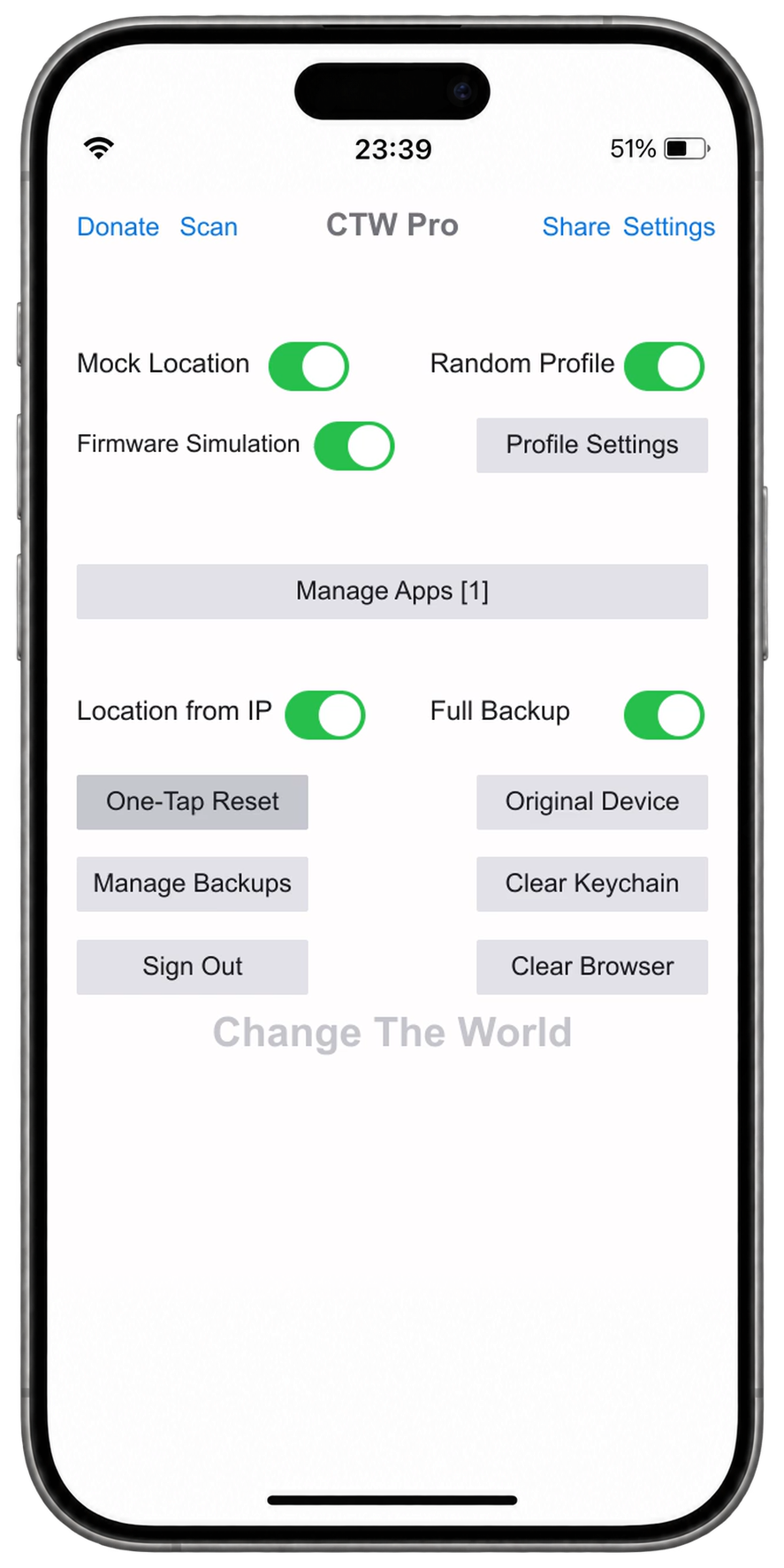
Select your apps, set a device profile and apply it with a one-tap reset. View and switch full backups in Backup Management.
For jailbroken iPhone and iPad running iOS 10–16.
Features
Choose a feature to see its controls and guide.
Apps and backups
Select your target apps before running a reset. With full backups enabled, each reset creates a backup record that you can view and switch in Backup Management.
- Manage and select target apps
- Full backups and saved records
- Return to the original device state
Device profiles
Choose a location and device profile before a reset. Run a reset to apply your changes and select options suited to your device environment.
- Simulated location and location from IP
- Random device profiles
- Firmware and sandbox simulation settings
Share settings
Use Share in the app to create a configuration QR code. Scan it on another device to import the settings and keep your devices configured alike.
- Share your settings by QR code
- Scan to import on another device
- Adjust the imported settings in the app
Scripting
Call client operations through HTTP API or OpenURL. Find record management, configuration sharing and parameter details in the original API guide.
- Local HTTP API on port 8080
- CTW URL Scheme
- Original parameters and usage instructions
GET /version
GET /newrecord
GET /getallrecordsname

http://127.0.0.1:8080/versionCTW://?cmd=newrecordInstall from Cydia
Install through Cydia on a jailbroken device.
- Open Sources
Open Sources in Cydia, then tap Edit and Add.
- Add CTW Pro
Paste the official repository address and wait for Cydia to refresh.
- Install and restart
Open the CTW Pro section, install the package and restart SpringBoard when prompted.